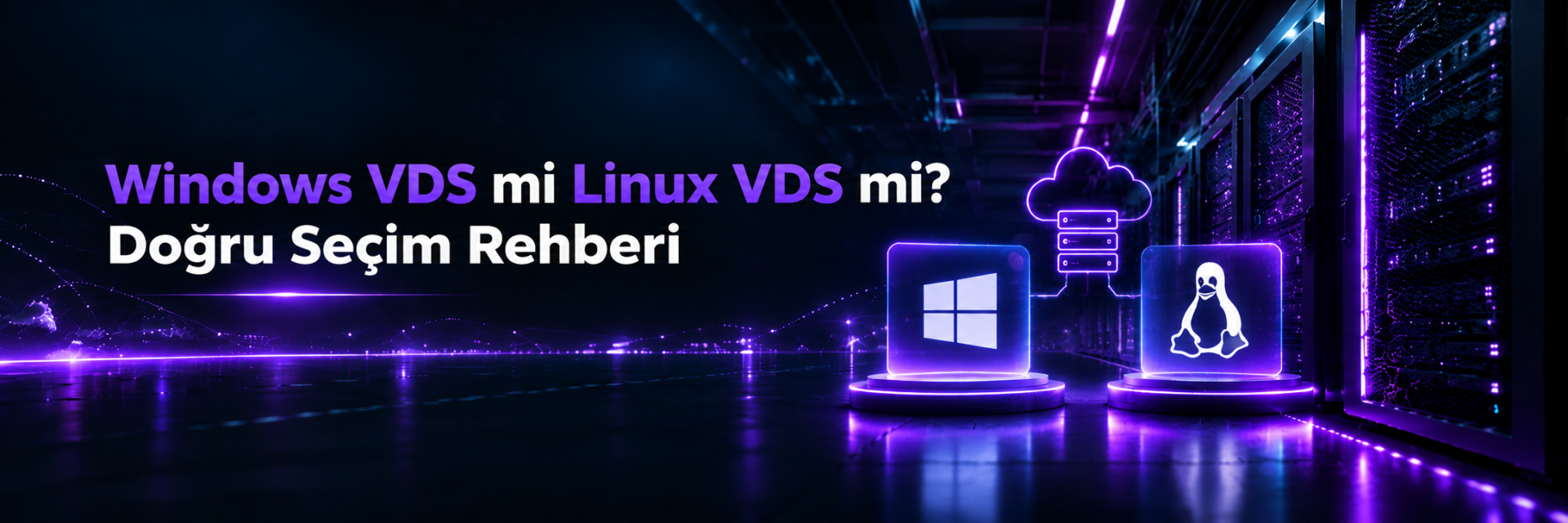
Windows VDS or Linux VDS? How to Choose the Right One
The first technical decision you face when ordering a VDS is the operating system: Windows or Linux? This choice determines not only how you connect to the server, but also which software you can run, how many resources you'll need, the license cost and your approach to security.
In this guide, we compare Windows VDS and Linux VDS in terms of compatibility, resource usage, cost, management and security. By the end, you'll know which operating system is right for which projects, the plan size that fits your needs and the most common mistakes.
If the software you'll run only works on Windows (accounting programs such as Logo, Mikro and Netsis, MetaTrader, ASP.NET Framework applications, MSSQL), choose Windows VDS. For websites, WordPress, Docker, Node.js, Python, PHP, databases or VPNs, Linux VDS runs with fewer resources, no license cost and more flexibility. If you're not sure, first check which operating system your software supports; that usually settles the decision.
- 01 The Key Difference Between Windows VDS and Linux VDS
- 02 Comparison Table
- 03 When Is Windows VDS the Right Choice?
- 04 When Is Linux VDS the Right Choice?
- 05 Resource Needs: Which Plan Is Enough?
- 06 Licensing and the Number of Remote Desktop Users
- 07 If You Chose Linux: Which Distribution?
- 08 Day-One Security Settings
- 09 Common Mistakes
- 10 Frequently Asked Questions
- 11 Conclusion
The Key Difference Between Windows VDS and Linux VDS
On the hardware side, there's no difference between the two VDS options: the same processor, the same NVMe disk, the same network infrastructure. The difference is in the operating system installed on the virtual server, and that difference changes day-to-day use from start to finish.
You connect to the server with Remote Desktop Connection (RDP) and work on a desktop similar to Windows on your own computer. You can directly run desktop programs written for Windows, .NET Framework applications and Microsoft SQL Server.
You connect to the server via SSH and manage it from the command line. Because there's no graphical interface overhead, more of the same hardware's resources are left for your applications. Web servers, databases, Docker and the vast majority of open-source software are developed for Linux first.
Comparison Table
| Criterion | Windows VDS | Linux VDS |
|---|---|---|
| Connection | Remote Desktop (RDP) | SSH (command line) |
| Interface | Graphical desktop | Command line (optional web panel) |
| License | Paid Windows Server license | Ubuntu, Debian, AlmaLinux are free |
| Idle RAM usage | Higher (graphical interface) | Low |
| Typical software | Logo, Mikro, Netsis, MetaTrader, MSSQL, IIS, .NET Framework | Nginx, Apache, MySQL, PostgreSQL, Docker, Node.js, Python, PHP |
| Control panel | Plesk | cPanel, Plesk, DirectAdmin and others |
| Updates | Windows Update, often requires a restart | Package manager, most updates without a restart |
| Learning curve | Familiar to Windows users | Requires command-line knowledge |
When Is Windows VDS the Right Choice?
The most valid reason to choose Windows VDS is that the software you need to run depends on Windows. In the following cases, Windows is practically mandatory:
- Accounting and ERP programs: Businesses that want to make programs such as Logo, Mikro, Netsis and similar accessible from outside the office.
- Forex and automated trading platforms: Running platforms and robots such as MetaTrader 4/5 24/7, even when your computer is off.
- .NET Framework and classic ASP.NET applications: Legacy or enterprise web applications running on IIS. Newer .NET versions also run on Linux, but .NET Framework is Windows-only.
- Systems that depend on Microsoft SQL Server: Especially enterprise databases built with Windows-specific features.
- Desktop automation and Windows-specific tools: Excel macros, Windows services, or game and application servers that only have a Windows version.
On Netiyo VDS plans, the Windows Server option is offered on VDS Pro and higher plans. VDS Core and VDS Plus plans only include Linux operating systems. That's because Windows needs more RAM and disk to run comfortably with its graphical interface.
When Is Linux VDS the Right Choice?
If you don't have software that depends on Windows, Linux is usually the more efficient choice. You do more work with the same plan at a lower cost. Linux is ideal for the following projects:
- Websites and WordPress: The most common and best-documented setup, with Nginx or Apache, PHP and MySQL/MariaDB.
- Application and API servers: Applications written in Node.js, Python, Go, PHP or Java.
- Docker and container-based projects: The container ecosystem is built on Linux.
- Database servers: MySQL, PostgreSQL, Redis, MongoDB.
- VPN, proxy and network services: Your own VPN server with WireGuard or OpenVPN. For step-by-step setup, see our WireGuard setup guide.
- Game servers: The server software of Minecraft and many popular games runs smoothly on Linux.
- Hosting and control panel installations: Panels such as cPanel and DirectAdmin run on Linux.
Resource Needs: Which Plan Is Enough?
Windows Server with its graphical interface (Desktop Experience) uses several GB of RAM even when idle. Microsoft's official minimum requirements are very low, but those values are only for the system to boot; in practice, more is needed for your programs to run comfortably. Linux, on the other hand, can run on a few hundred MB of RAM without a graphical interface.
The table below is a general starting point for Netiyo VDS plans. The exact need varies with the number of users, traffic and the software you run.
| Plan | Resources | Operating system | Suitable for |
|---|---|---|---|
| VDS Core | 1 vCPU · 2 GB RAM · 30 GB | Linux | VPN, test environment, small site, bot |
| VDS Plus | 2 vCPU · 4 GB RAM · 40 GB | Linux | WordPress, small application, Docker experiments |
| VDS Pro | 3 vCPU · 8 GB RAM · 70 GB | Linux / Windows | Entry level for Windows: MetaTrader, single-user accounting program |
| VDS Advanced | 3 vCPU · 12 GB RAM · 90 GB | Linux / Windows | Windows application with a few users, medium-traffic site |
| VDS Elite | 4 vCPU · 16 GB RAM · 100 GB | Linux / Windows | Accounting/ERP with MSSQL, e-commerce, databases |
| VDS Performance and above | 4–8 vCPU · 24–64 GB RAM · 120–200 GB | Linux / Windows | Multi-user enterprise applications, heavy databases, large projects |
You can upgrade your plan to a higher one later. So if you're not sure of your needs, starting with a reasonable plan and monitoring resource usage is a good approach.
Licensing and the Number of Remote Desktop Users
With Windows VDS, there are two separate licensing issues that affect cost, and the second is often overlooked.
Windows Server license
This is the license for the operating system itself. Linux distributions have no such cost. Check during ordering whether the Windows option is included in the plan price.
Remote Desktop (RDS) user licenses
Windows Server allows up to 2 simultaneous Remote Desktop sessions for administrative purposes. For scenarios such as several office employees connecting to the same server to use an accounting program, you need the Remote Desktop Services (RDS) role and an RDS CAL license for each user or device.
If 5 employees will use your accounting program at the same time, plan for that before ordering. Both the RAM requirement and the RDS license cost grow with the number of users. Some programs work with their own client-server architecture and don't require RDS; find out the setup your software vendor recommends.
If You Chose Linux: Which Distribution?
When choosing among the Linux distributions offered on Netiyo VDS, this distinction makes it easier:
Ubuntu has the largest community and the most resources. Most guides on the internet are written for Ubuntu. It's a safe default for Docker, Node.js and Python projects.
It comes with fewer packages and is preferred for servers that will run unchanged for a long time. Its commands are largely the same as Ubuntu's.
A free distribution compatible with Red Hat Enterprise Linux. It's a good choice if you plan to install cPanel/WHM or run RHEL-based software.
Day-One Security Settings
Whichever operating system you choose, a server exposed to the internet faces automated password attempts from the very first minutes. Complete these steps on day one.
For Linux VDS
- Update the system and create a separate sudo user instead of using root.
- Switch to SSH key login and disable password login.
- Open only the necessary ports with UFW and block brute-force attacks with Fail2ban.
All the steps, with commands, are in our guide the first 10 things to configure on a new Ubuntu VDS.
For Windows VDS
- Change the Administrator password to a long, unique password.
- Install all security updates with Windows Update.
- Make sure Network Level Authentication (NLA) is enabled for Remote Desktop.
- If possible, restrict RDP access in Windows Firewall to your office IP address only, or put RDP behind a VPN.
- Set an account lockout threshold in Local Security Policy.
Set-NetFirewallRule -Group "@FirewallAPI.dll,-28752" -RemoteAddress 203.0.113.25@FirewallAPI.dll,-28752 in the command is the language-independent name of the Remote Desktop rule group; it works the same on Turkish and English Windows Server. Replace 203.0.113.25 in the example with your own static IP address. If you don't have a static IP, don't apply this rule; otherwise you may lose access to the server.
Common Mistakes
Choosing Windows "because I'm used to it"
If you're only going to host a WordPress site, Windows adds unnecessary overhead in terms of both licensing and RAM. If the command line scares you, installing a control panel on Linux is a more efficient solution.
Getting the smallest plan for Windows
Windows Server will boot, but your programs will run sluggishly. The graphical interface and updates consume resources. We recommend starting with a plan that has at least 8 GB of RAM for Windows.
Leaving RDP open to the internet with default settings
The Remote Desktop port is one of the most scanned ports on the internet. A weak password and unrestricted access are the most common way servers get compromised.
Thinking it's easy to change the operating system later
Changing the operating system means reinstalling the server, and all data on the disk is deleted. Make the right decision from the start; if you need to change it, take a full backup first.
Frequently Asked Questions
Which is faster, Windows VDS or Linux VDS?
On the same hardware, Linux leaves more resources for your applications because there's no graphical interface overhead. For tasks such as web servers and databases, Linux is usually more efficient with the same plan. However, if your software is written for Windows, the right choice is Windows.
Can I connect to a Linux VDS with a graphical interface?
Technically, a desktop environment can be installed, but it isn't recommended on servers. Instead, you can manage the server from your browser using web-based management panels such as Plesk, cPanel or aaPanel.
Can I host websites on a Windows VDS?
Yes. ASP.NET sites and PHP sites can be hosted with IIS. However, PHP-based projects such as WordPress are more common, better documented and usually more performant on Linux.
Which VDS plan do I need for Logo or Mikro?
Since Windows is required, look at VDS Pro and higher plans. For a single user, you can start with VDS Pro; if there's an MSSQL database and several concurrent users, VDS Elite or higher runs more comfortably. For the exact requirement, check the system requirements recommended by your software vendor.
I don't know Linux. Should I still get a Linux VDS?
If your project suits Linux, yes; the basic commands can be learned in a few days, and setup can be done step by step with ready-made guides. If you don't want to deal with the command line at all, you can install a control panel on Linux or consider a hosting plan.
Can I run both Windows and Linux on the same VDS?
No. A single operating system is installed on a VDS. If you need both, using two separate VDS servers is the healthiest solution. Also remember that with Docker on Linux you can run many services isolated on the same server.
Conclusion
What really determines the choice between Windows VDS and Linux VDS is the software you'll run. For Windows-dependent work such as accounting programs, MetaTrader, .NET Framework and MSSQL, Windows VDS is the right choice; for websites, applications, Docker, databases and network services, Linux VDS is. If you chose Windows, start with a plan that has at least 8 GB of RAM and plan RDS licensing according to the number of concurrent users. If you chose Linux, pick the one that suits your project from Ubuntu, Debian or AlmaLinux.
If your users are in Turkey, also consider how the server location affects speed and KVKK compliance; details are in our article on the benefits of a Turkey-based server.
Netiyo VDS plans in Istanbul offer Ubuntu, Debian, AlmaLinux and Windows Server options with KVM virtualization, NVMe disks, DDoS protection and root/administrator access. If you need more resources, also take a look at our dedicated server options.
Explore VDS Plans