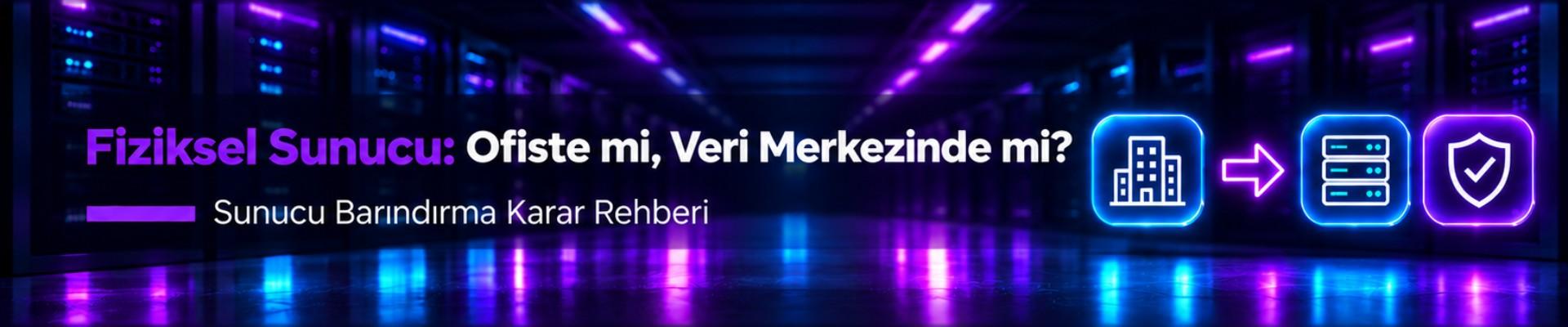
Physical Servers: In the Office or in a Data Center?
Many businesses' first server starts out in a corner of the office, inside a cabinet or under a desk. As the server grows and the work running on it becomes critical, one question becomes unavoidable: should this server stay in the office, or should it move to a data center?
In this guide, we explain the hidden costs of keeping a physical server in the office, what hosting it in a data center (colocation) provides, how the two options compare and when each one makes sense.
If the server is only used from within the office and short outages don't stop your business, it can be kept in the office. If the server serves the internet, needs to be accessible 24/7 or holds critical data, it should be kept in a data center. A data center provides redundant power, cooling, multiple internet connections and physical security on your behalf.
- 01 What Does Keeping a Server in the Office Mean?
- 02 The Hidden Costs of Keeping It in the Office
- 03 What Is Data Center Hosting (Colocation)?
- 04 Office vs. Data Center Comparison
- 05 When Does Keeping It in the Office Make Sense?
- 06 When Is a Data Center Necessary?
- 07 Checklist for Moving a Server to a Data Center
- 08 Alternatives Without Buying Hardware
- 09 Frequently Asked Questions
- 10 Conclusion
What Does Keeping a Server in the Office Mean?
Keeping a server in the office (on-premise) means the server physically sits in the business's own building. This server is usually used for file sharing, accounting and ERP software, camera recording systems, local databases or internal applications.
At first glance, it seems like the cheapest and easiest option: the hardware has already been bought, there's space in the office and an internet connection is available. However, the infrastructure needed for a server to run reliably doesn't exist in most offices.
The Hidden Costs of Keeping It in the Office
Power and uninterruptible power supply
A server runs 24/7 and consumes electricity non-stop. To keep running during a power cut, it needs a UPS, and UPS batteries need replacing every few years. During long outages a UPS isn't enough; you need a generator. Most offices don't have one.
Cooling
Servers constantly generate heat. In a closed cabinet or a room without air conditioning, the temperature rises quickly. That increases hardware failures and sudden shutdowns. The air conditioning switching off at weekends or overnight can cause serious problems in the summer months.
Internet connection and static IP
Office internet connections are usually designed around download speed; upload speed is low. For a server that serves the outside world, however, upload speed is decisive. Depending on a single carrier means that whenever that line goes down, the server becomes unreachable too. Needing a static IP is a separate cost as well.
Physical security and environmental risks
In the office, cleaning staff, visitors or unauthorized employees can easily access the server. Theft, flooding, fire and an accidentally pulled plug can put all your data at risk.
Noise and time
The fans of rack servers are quite loud for an office environment. In addition, every server problem means someone has to drop what they're doing and deal with it. And a server that shuts down at midnight is only noticed in the morning.
When comparing the two options, don't look only at the monthly hosting fee. To the cost of keeping it in the office, add electricity, UPS and battery replacement, air conditioning, an extra internet line, a static IP and the working hours lost during failures. When these items are added up, the difference is often much smaller than expected.
What Is Data Center Hosting (Colocation)?
Server hosting, or colocation, means placing a physical server that you own in a cabinet in a data center and running it there. The hardware is yours; power, cooling, network connectivity and physical security are provided by the data center.
- Redundant power: UPS systems and generators keep it running even during long outages.
- Professional cooling: Temperature and humidity are monitored 24/7.
- Multiple internet connections: A high-capacity backbone connected to multiple carriers, plus static IP addresses.
- Physical security: Card access, camera recording and authorized staff control.
- Remote management: Access to the server without being physically there, via remote management interfaces such as IPMI, iDRAC or iLO.
To assess a data center's infrastructure level, take a look at our Tier 3 data center guide. If you have several devices, rack rental may be a better fit than renting space per server.
Office vs. Data Center Comparison
| Criterion | In the office | In a data center |
|---|---|---|
| Power continuity | Limited time on UPS | Redundant UPS and generator |
| Cooling | Office air conditioning, no monitoring | Professional, monitored 24/7 |
| Internet | Single line, low upload speed | Multiple carriers, high symmetric capacity |
| Physical security | Depends on office security | Card access, cameras, access control |
| Local network access | Very fast (same network) | Over the internet or a VPN |
| Physical intervention | Right next to you | Remote management and on-site support |
| Cost structure | Scattered and hard to predict | Fixed monthly fee |
When Does Keeping It in the Office Make Sense?
- Systems used only from within the office: Such as a local file server, a print server or an in-office camera recorder.
- Very high local data traffic: For teams working with large video or design files, local network speed can be decisive.
- Work that can tolerate short outages: If the server being down for a few hours doesn't stop your business.
- Test and development environments: Trial servers that don't provide live services.
Even in these cases, at least a UPS, regular backups and keeping a copy of the backups outside the office are recommended.
When Is a Data Center Necessary?
- If the server serves the internet: Websites, e-commerce, APIs, email or remotely accessed applications.
- If you have multiple branches or remote teams: Everyone needs to connect to a shared, fast hub.
- If downtime directly means lost revenue: Order, booking, payment or customer service systems.
- If critical or personal data is processed: Physical access control and logging are important for data security.
- If the number of servers is growing: After the second or third server, power and cooling in the office become insufficient.
We explained the latency and data locality benefits of keeping your server in a data center in Turkey in our guide to Turkey-based servers.
Checklist for Moving a Server to a Data Center
- ✓Full backup: Before the move, I took an up-to-date, tested backup of all data.
- ✓Hardware details: I noted the server's height (1U, 2U), power consumption and number of power supplies.
- ✓Rack compatibility: If the server isn't rack-type (tower), I asked whether the data center accepts it.
- ✓IP plan: I planned the new IP addresses, the DNS record changes and when to lower the TTL.
- ✓Remote management: I configured the IPMI, iDRAC or iLO interface and changed its password.
- ✓Office connectivity: I planned a VPN setup so office users can access the server securely.
- ✓Maintenance window: I scheduled the move for when users would be least affected and let them know.
If the server's IP address will change, lower the TTL of the relevant DNS records a day before the move. That way, the new address propagates quickly. For record types, see our DNS guide, and for additional IPs, our IPv4 leasing guide.
Alternatives Without Buying Hardware
If you haven't bought server hardware yet, or your existing hardware is getting old, you can benefit from data center infrastructure without owning hardware:
Renting a dedicated server
You rent a physical server whose resources are all yours. Hardware failures and part replacements are the provider's responsibility. Dedicated server options suit projects that need high performance.
VDS server
For smaller needs, you can use a virtual server instead of a physical one. A VDS server is set up in minutes and can be upgraded as your needs grow.
Frequently Asked Questions
If I move my server to a data center, who can access my data?
With colocation, the hardware and data belong to you. Data center staff are responsible for the physical infrastructure; access to your operating system and data is limited to the permissions you set. Encrypting the disks adds an extra layer of security.
Can I put my tower server in a data center?
Data centers are generally designed for rack servers. Some data centers accept tower servers by placing them on a shelf. You need to ask your provider before the move.
What happens if a part fails while the server is in the data center?
You can send the spare part to the data center or have it replaced through on-site support. With dedicated server rental, hardware replacement is handled by the provider.
Will office users access the server in the data center slowly?
For most business applications that don't work with large files, you won't notice a difference. Your office internet speed and having the server in Turkey are the deciding factors. For very large file transfers, a local cache or sync solution can be used in the office.
Is a hybrid setup possible?
Yes. Keeping the local file server in the office while moving internet-facing services and backups to the data center is a common, balanced approach.
Conclusion
Keeping a server in the office is suitable only for systems used within the office where short outages aren't a problem. If the server serves the internet, is critical to your business or the number of servers is growing, using a data center instead of building power, cooling, connectivity and security infrastructure on your own is both safer and often more economical. When deciding, compare not the monthly fee but the total cost of ownership and what downtime costs your business.
With Netiyo server colocation, you can run your own hardware in our data center in Turkey with redundant power, cooling and network infrastructure. For more about our infrastructure, see our data center page.
Explore Server Colocation